Devices
Pix Pro is per computer. A computer running the Pix Desktop App is a device, and it is active while it holds Pix Pro from your subscription, an Event Pass, or the free trial. Devices shows the computers that are active right now, how many your subscription allows, your unused Event Passes, and the buttons to buy more.
The Cards
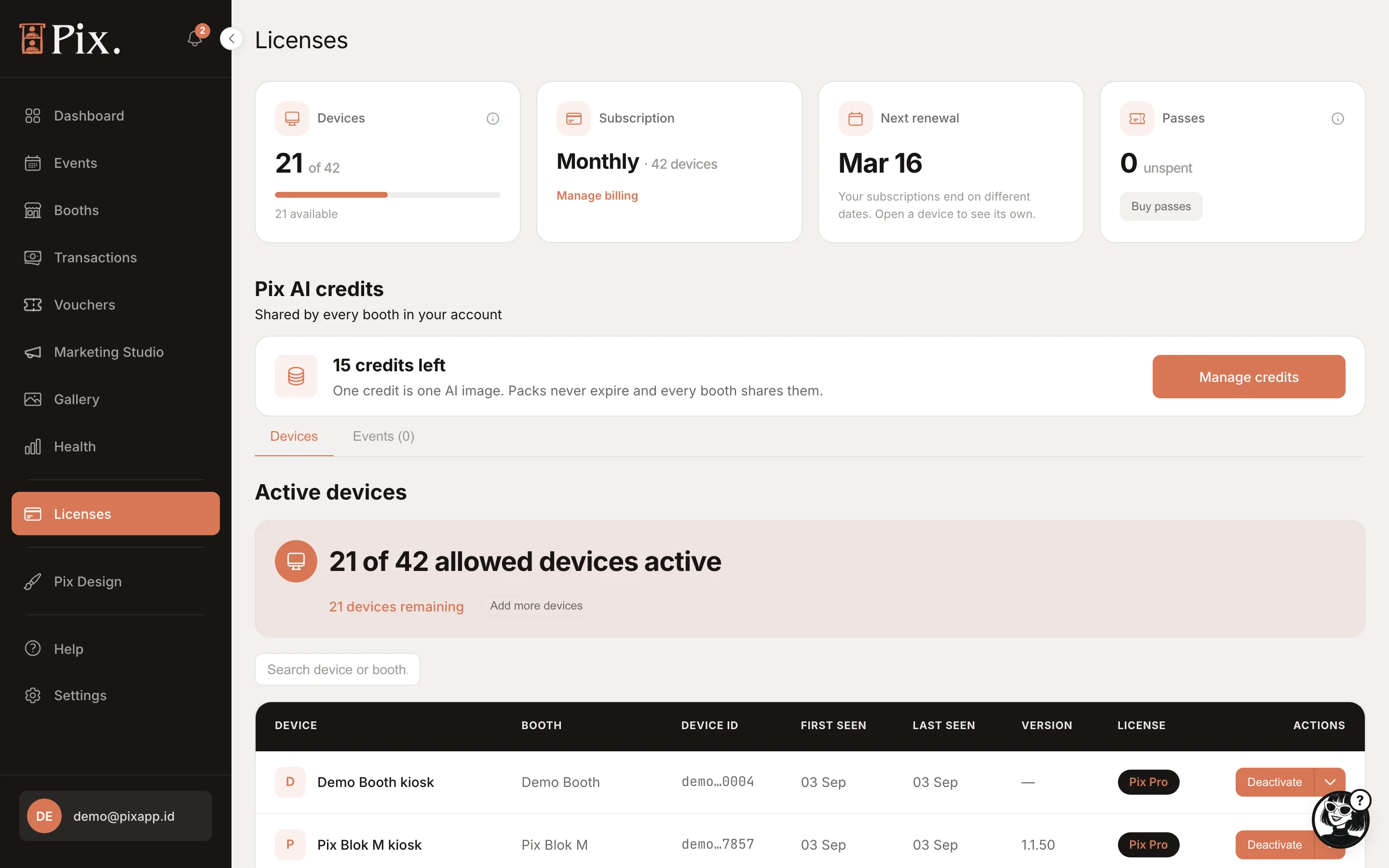
| Card | What it shows |
|---|---|
| Devices | Active computers out of the number your subscription allows, for example "21 of 42 · 21 available" |
| Subscription | The cycle and device count, for example "Monthly · 42 devices", with Manage billing on card subscriptions |
| Next renewal | When the subscription renews |
| Event Passes | Unused Event Passes, for example "3 unused", with Buy Event Passes |
| Pix AI credits | Beta accounts only. Credits left, with Manage credits |
Active Devices
Under the cards, "N of M allowed devices active, N devices remaining" and Buy license. The table lists each active computer.
| Column | What it shows |
|---|---|
| DEVICE | The computer's name, set on the booth's Device tab |
| BOOTH | The booth it is paired to |
| DEVICE ID | Its hardware id |
| FIRST SEEN, LAST SEEN | When it was paired and when it last checked in |
| VERSION | The Pix Desktop App version it runs |
| PLAN | Pix Pro, Event Pass, Trial, "Pix Pro, payment failed", Blocked or Watermarked |
| ACTIONS | Deactivate, with a chevron showing the renewal date and Manage billing |
A computer does not need activating by hand. When your subscription has a place to spare, the next computer that checks in takes it. An Event Pass is used at the booth, on the computer that needs it: on the event start screen or from the operator menu.
Deactivate
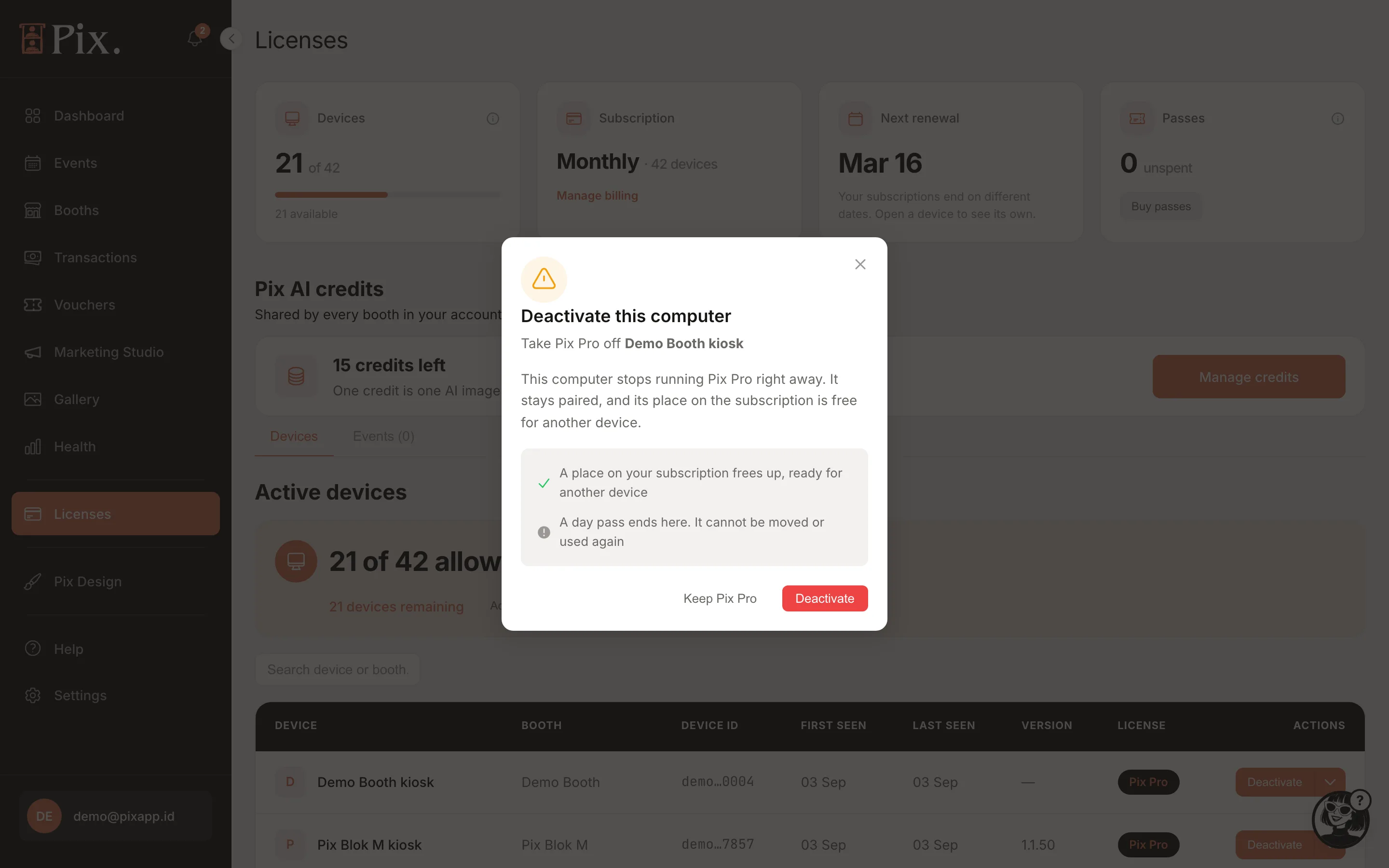
Deactivate frees a computer's place for another. On a subscription, "A place on your subscription frees up" and the next computer that checks in claims it; the deactivated computer stays paired but cannot start a session until a place is free again. On an Event Pass, the modal warns that the Event Pass ends here and cannot be moved or used again. The modal offers Keep Pix Pro or Deactivate.
Buy a License
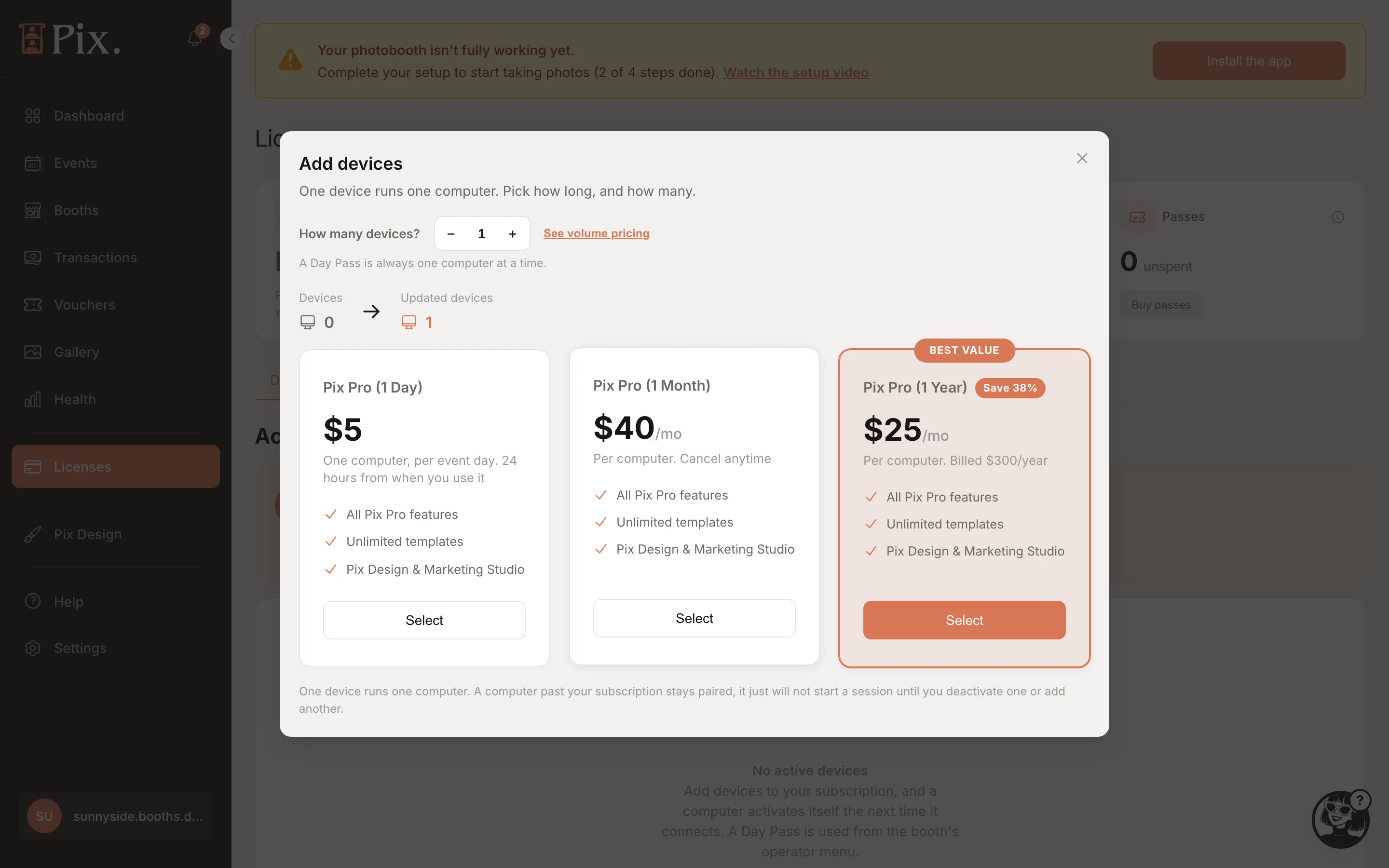
- Click Buy license and pick Event Pass or Pix Pro. Each has its own checkout.
- Pix Pro: pick Monthly or Yearly and set How many devices?. Several at once earn a volume discount; See volume pricing shows the table. Event Pass: the checkout is Buy Event Pass; set How many computers?. The price is flat; to run longer, extend from the event page. A checkout opened from an event brings you back to it.
- Click Select on a plan card and pay at checkout.
| Plan card | Price | Note on the card |
|---|---|---|
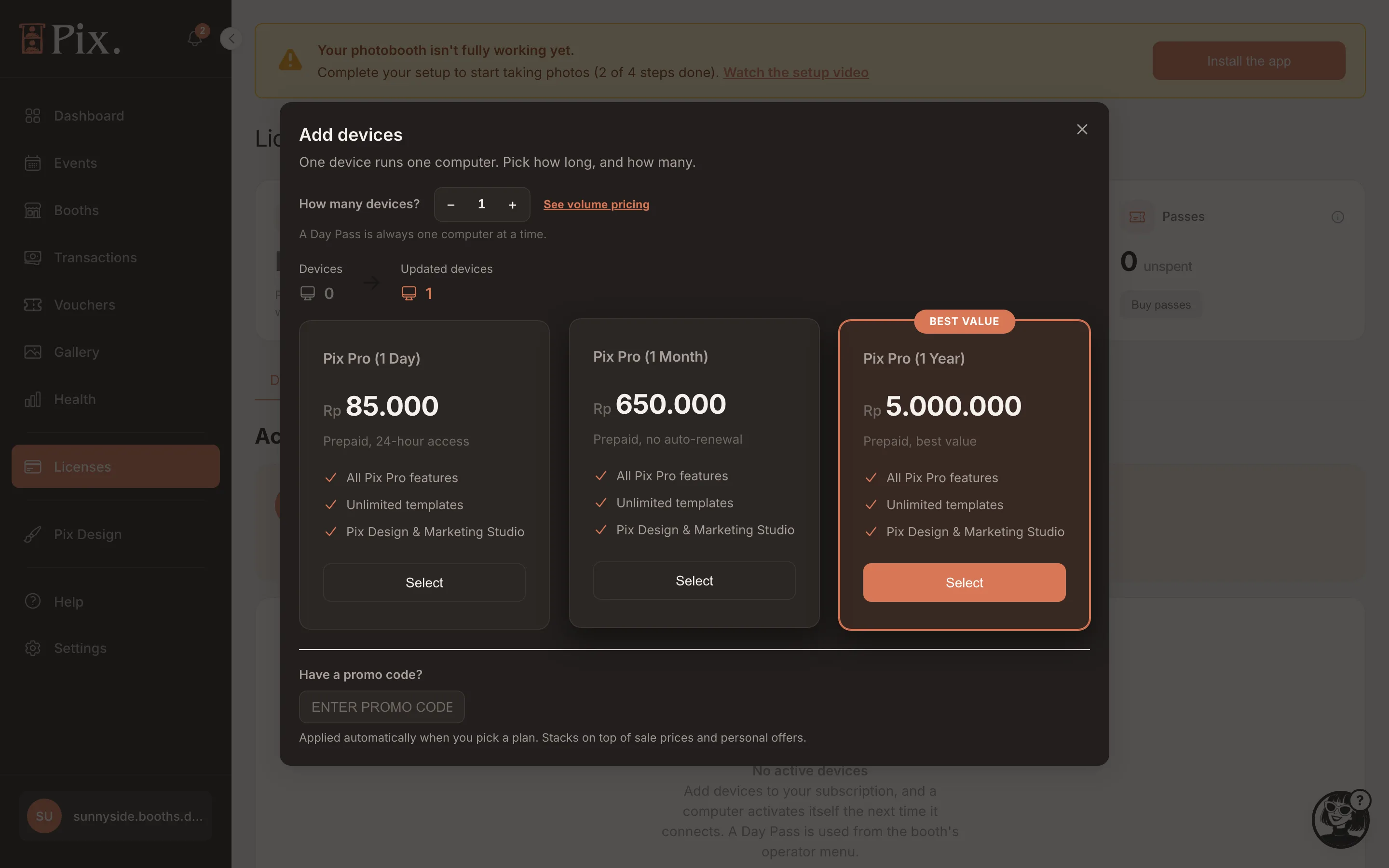
| Event Pass | $5, Rp 85.000 in Indonesia | 24 hours of Pix Pro on one computer, starting when you use it at the booth |
| Pix Pro (1 Month) | $40 per month, Rp 850.000 in Indonesia | "Per computer. Cancel anytime" |
| Pix Pro (1 Year) | $25 per month, billed $300 per year, Rp 6.500.000 in Indonesia | BEST VALUE, "Save 38%" |
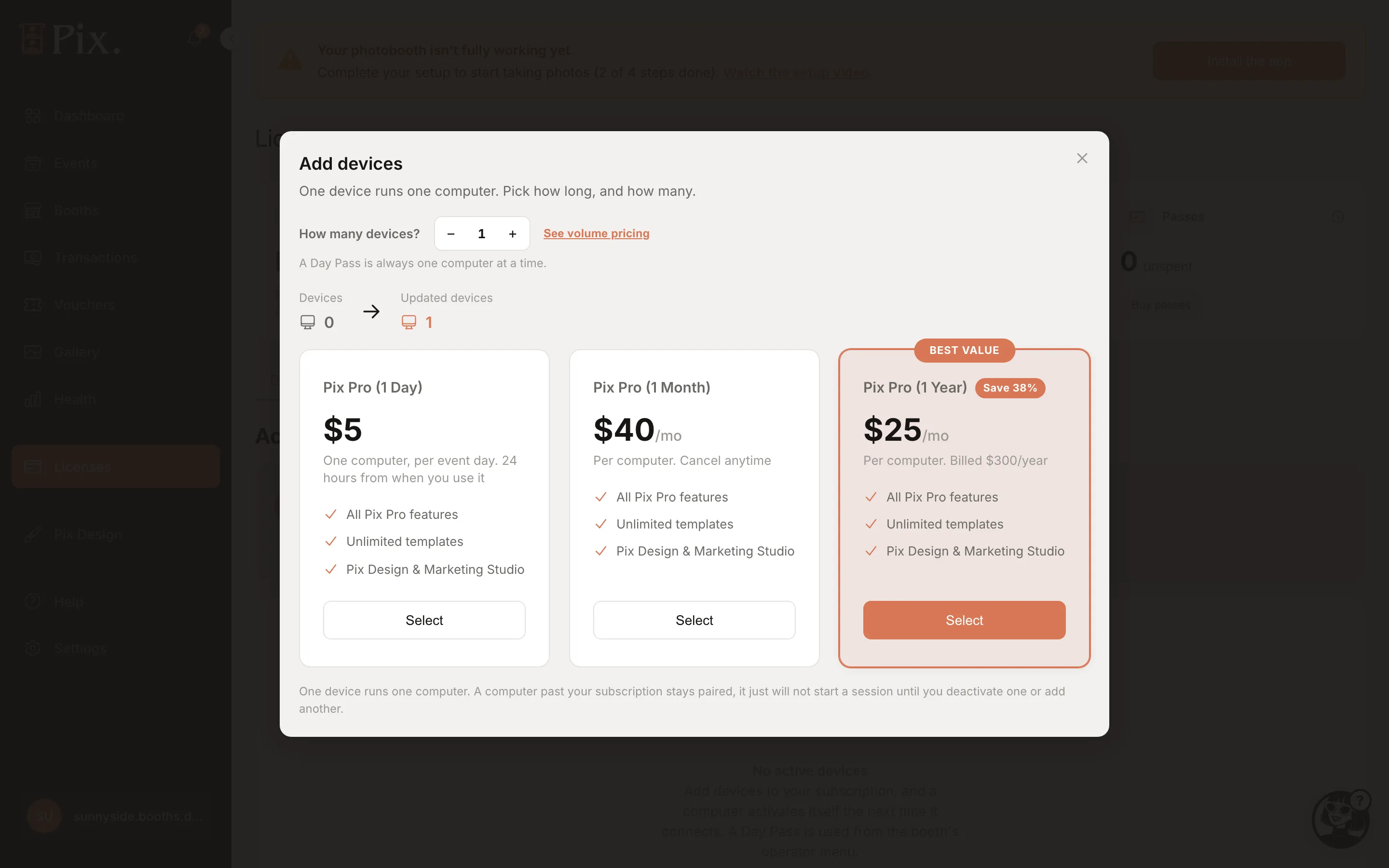
Outside Indonesia you pay by card at checkout, and Monthly and Yearly renew until you cancel. In Indonesia the modal shows rupiah, QRIS, bank transfer or card at checkout, notes such as "Prepaid, no auto-renewal", and a promo code field; a rupiah purchase is prepaid and simply ends when its period ends.
Adding devices to a card subscription you already have shows Confirm this charge before anything is billed.
Whether an event's computers are covered shows on the event itself: its Computers card says "All N computers have an Event Pass or Pix Pro." or how many still need one. See Events.
Before Pix Pro Ends
- An Event Pass or the free trial warns on the booth's idle screen 60 and 15 minutes before it ends. When it has ended, a popup on the booth names what ended (for example "Your Event Pass has ended") and offers Manage devices, a QR code to this page.
- A subscription that will not renew (cancelled, or a prepaid rupiah purchase) warns by email and a dashboard banner 7 days and 1 day before it ends.
- If a subscription renewal payment fails, you get an email and a dashboard banner at once, the computer's Plan column reads "Pix Pro, payment failed" and the booth shows a payment-failed banner. The computer keeps Pix Pro for a 3-day grace, then is blocked. Fix the card under Settings > Pixture billing.
Cancelling and Invoices
Stop a card subscription from Settings > Pixture billing > Manage subscription. Pix Pro stays on the computer until the end of the paid period. Rupiah purchases are prepaid and end on their own. Invoices and receipts are under Settings > Pixture billing; see Settings.
The Free Trial
Every organization can claim one free 3-day Pix Pro trial on one computer, with no card. Claim it from the "Try Pix Pro free for 3 days" popup, or later from the Updates bell, and pick which booth's computer gets it. While it runs your account is Pix Pro with one device. After 3 days that computer goes back to watermarked unless you buy Pix Pro.
Pix Starter
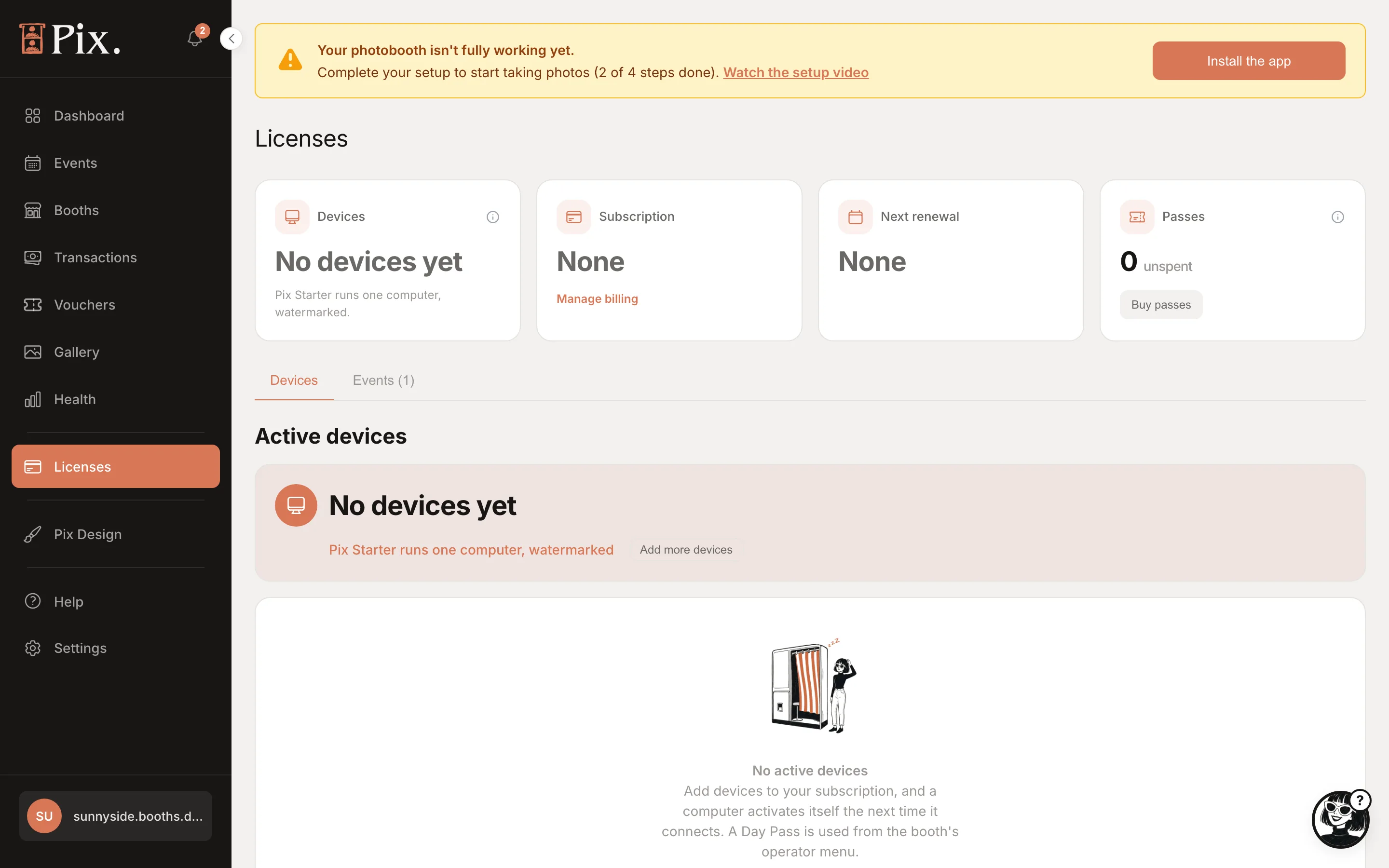
With no active device the account is Pix Starter: "No devices yet, Pix Starter runs one computer, watermarked". Every photo and print carries the Pixture watermark, and a second computer is refused at the pairing code. Booths, templates and screen designs are still yours to prepare. See Plans.
Pix AI Credits
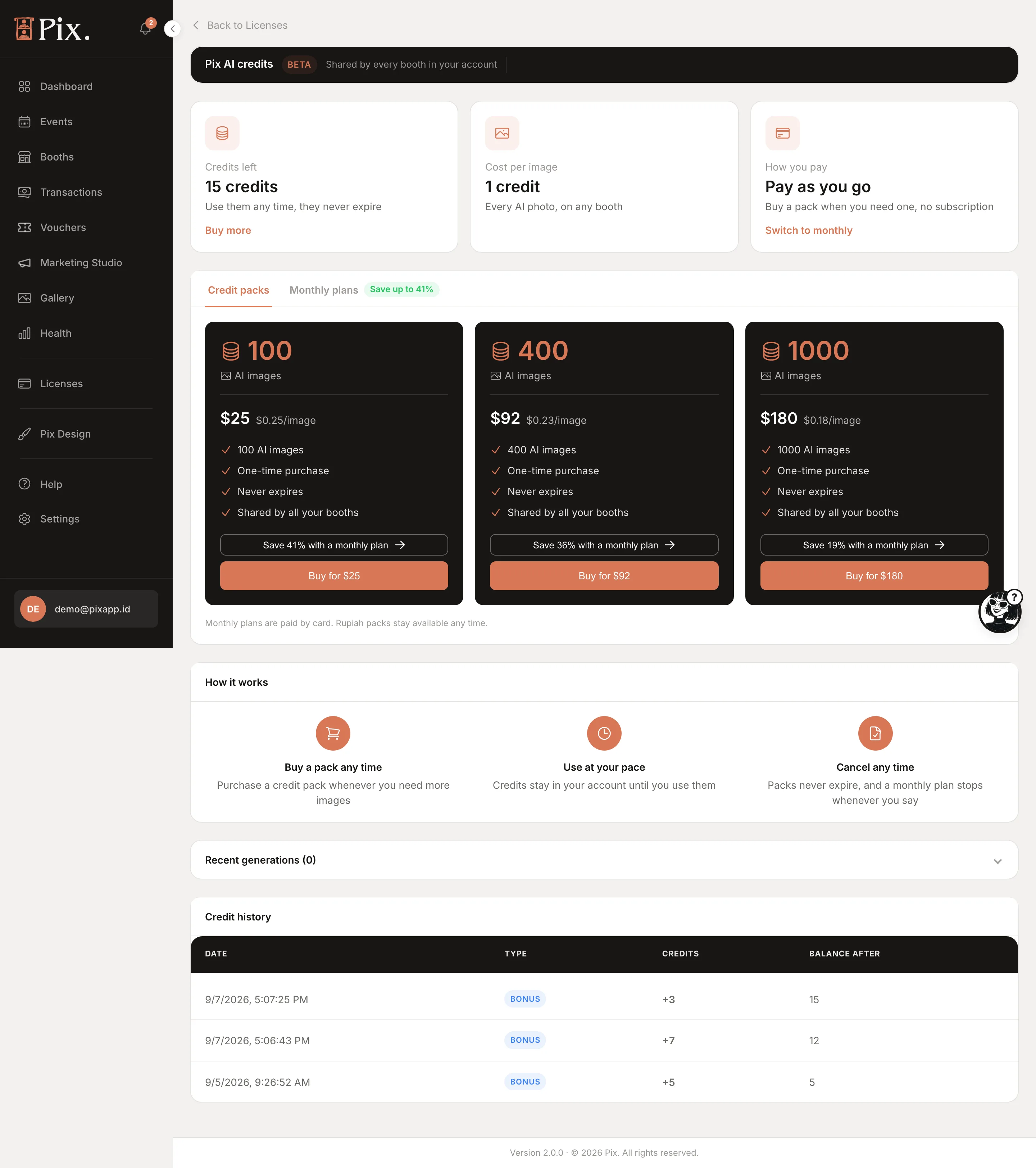
Beta accounts have a Pix AI credits page: credits left, Buy more, the cost per image (1 credit), How you pay (a monthly plan or pay as you go) and credit packs of 100, 400 or 1000. Credits are separate from Pix Pro and do not change your device count.