Choose Your Plan
By the end of this page you know what Pix Starter gives you for free, what Pix Pro adds, and how to put Pix Pro on a computer from the Devices page. You do not have to decide on day one: the app is free to install, and a computer activates the moment you buy something for it.
The Plans
Pixture is priced per computer, not per account or per booth. Booths are free profiles. What you pay for is Pix Pro on each computer that runs the Pix Desktop App.
| Plan | Dashboard name | Price | Best for |
|---|---|---|---|
| Pix Starter | Pix Starter | Free | Setting up, rehearsing, and booths that do not charge guests |
| Event Pass | Event Pass | $5 for 24 hours on one computer (Rp 85.000 in Indonesia). The 24 hours start when you use it at the booth | Weddings, markets, pop-ups: a computer that works a few days a month |
| Pix Pro Monthly | Pix Pro (1 Month) | $40 per computer per month (Rp 850.000 in Indonesia). Cancel anytime | A computer that runs most days |
| Pix Pro Yearly | Pix Pro (1 Year) | $300 per computer per year, which is $25 per month (Rp 6.500.000 in Indonesia). The dashboard marks it Best Value, Save 38% | The same computer, paying yearly |
Several Pix Pro devices in one purchase get a volume discount; the checkout shows the per-device price before you pay. Visitors from Indonesia see rupiah prices and prepaid notes instead of the card subscription. Full detail in Plans & Pricing and Feature Comparison.
Pix Starter: One Computer, Watermarked
Your account is Pix Starter while no computer has Pix Pro. On Pix Starter:
- The Pix Desktop App runs on one computer. Pairing a second computer is refused at the pairing code. Replacing the computer on a booth that already has one still works.
- Every photo, print, GIF and video carries the Pixture watermark.
- You get two ready-made 4x6 print templates and the default screen design. Pix Design is open to try every tool; creating a new project or saving needs Pix Pro, and the button reads Upgrade to Create.
- The booth skips the Payment screen. Every photo session is free.
- Marketing Studio is not shown in the sidebar.
The moment one computer holds Pix Pro, through a subscription, a running Event Pass or the free trial, the whole account is Pix Pro: unlimited templates and screen designs, no watermark, payments, Marketing Studio. A computer beyond what your subscription covers stays paired but is blocked from starting sessions until you deactivate another computer or add a device.
Try Pix Pro Free for 3 Days
Every account can claim one free trial: 3 days of Pix Pro on one computer, no card needed.
-
In the dashboard, wait for the Try Pix Pro free for 3 days popup, or open it later from the bell (Updates) at the top of the sidebar.
-
Under Which booth's computer?, pick the booth. The trial goes on the computer paired to that booth.
-
Click Claim free trial. Save for later closes the popup without using the trial.
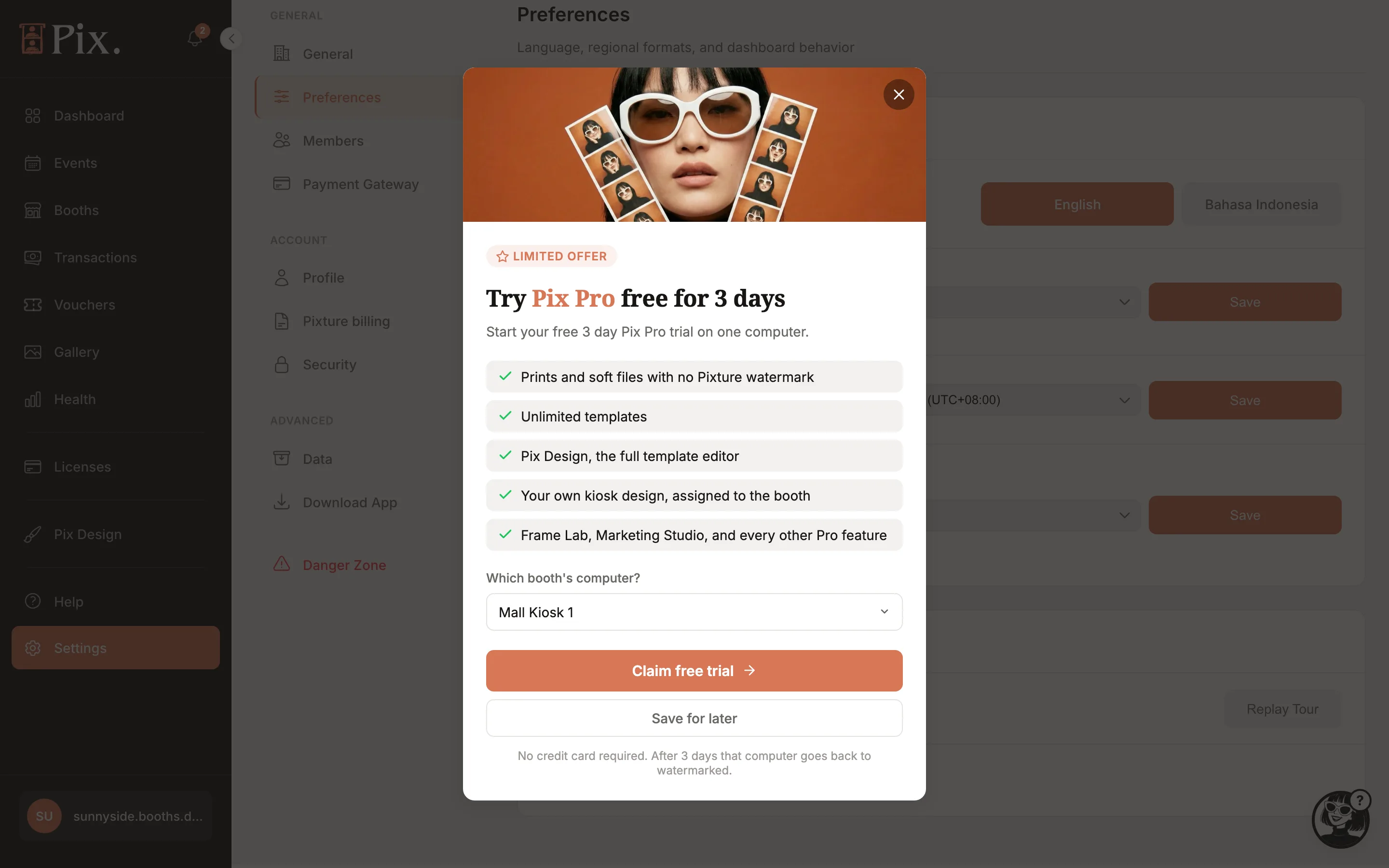
The popup's footer tells you what happens at the end: "No credit card required. After 3 days that computer goes back to watermarked." Everything you built during the trial stays in your account. The trial can be moved to another computer from the Devices page before it ends.
Activate a Computer
Buying is done on the Devices page. A computer that is paired and waiting picks Pix Pro up on its own the next time it connects.
-
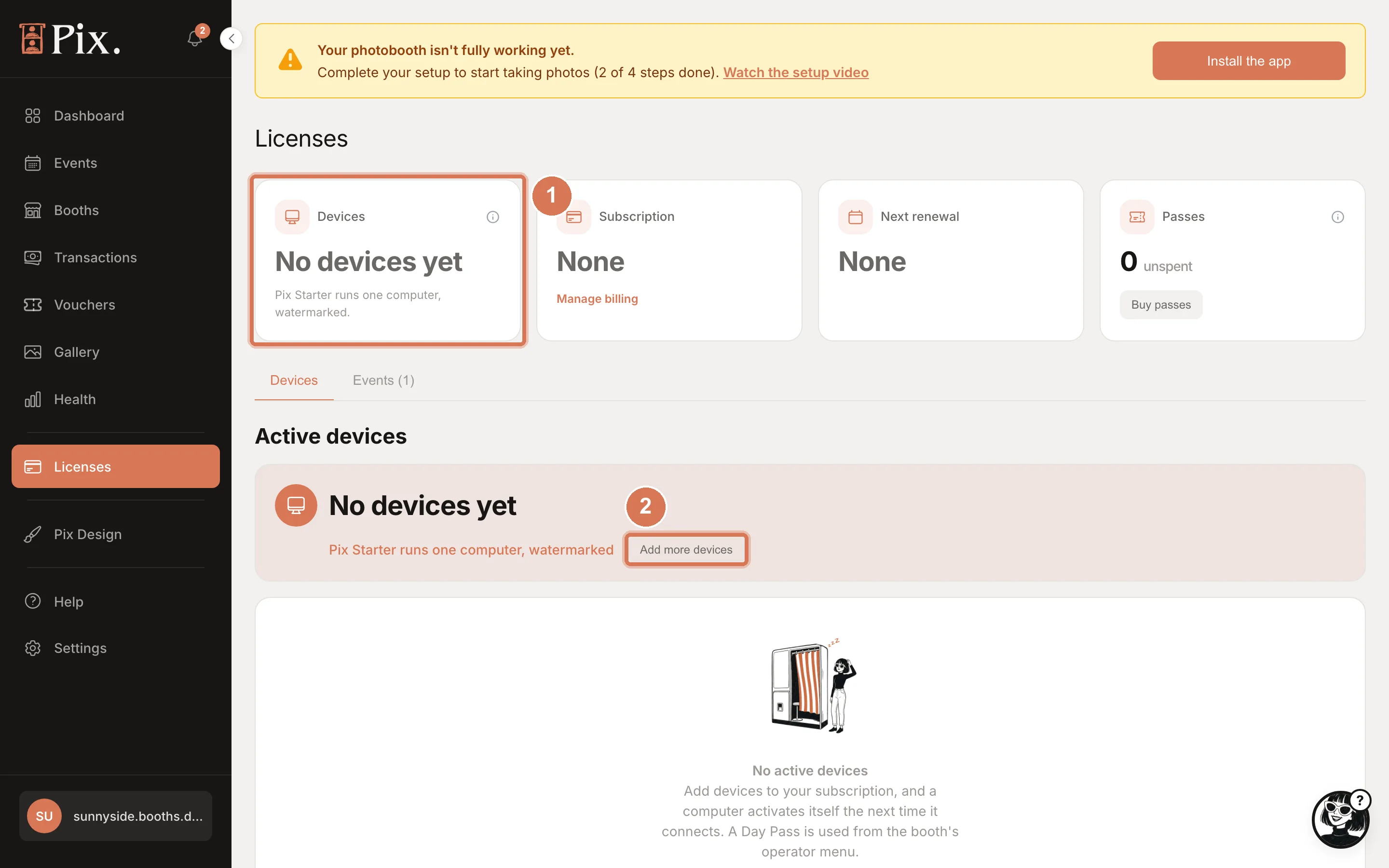
Open Devices in the sidebar. On a Pix Starter account the Devices card says there are no devices yet, and the Event Passes card shows 0 unused with a Buy Event Passes button.
-
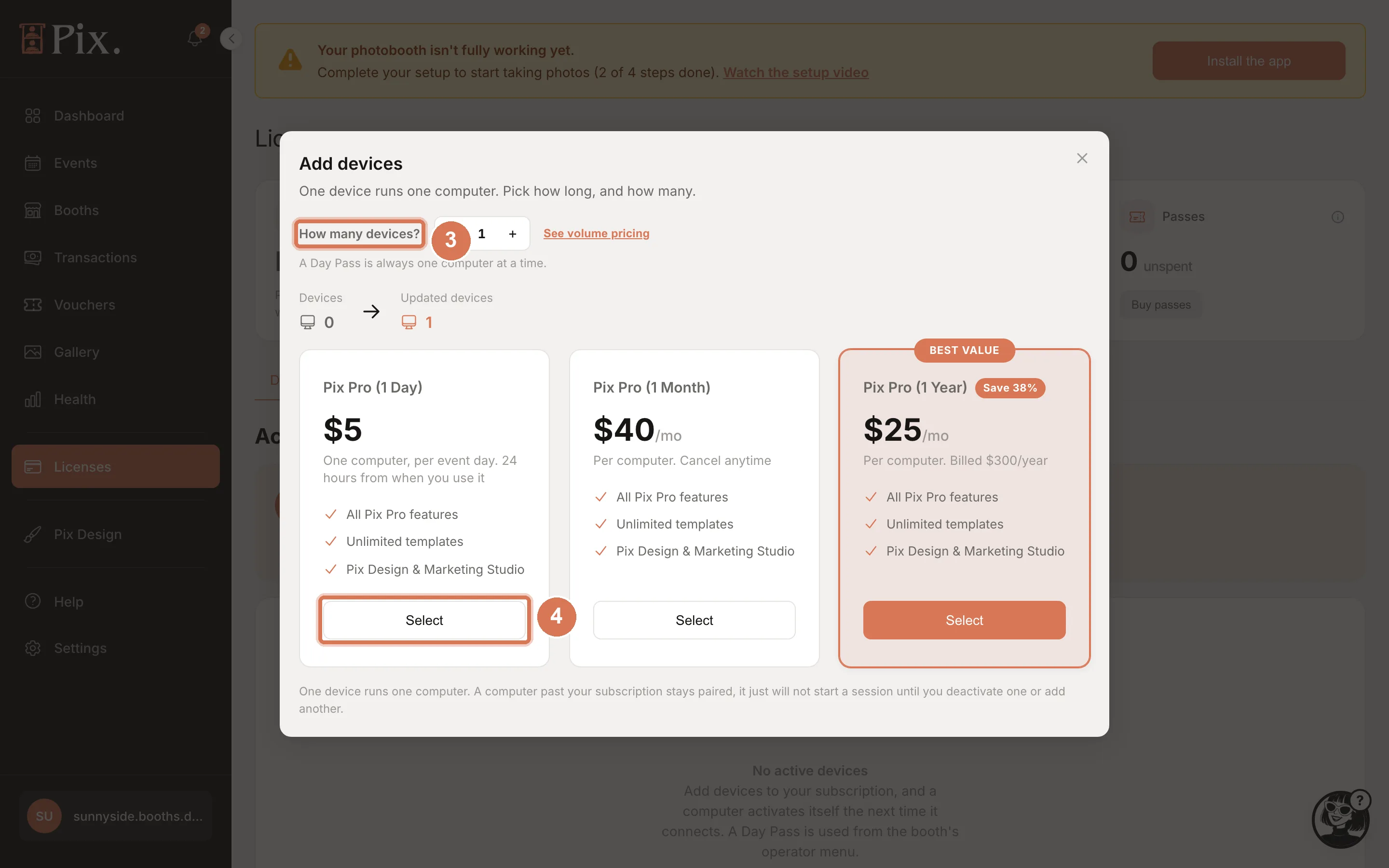
Click Buy license, then pick Pix Pro (or Event Pass for a single event). The Pix Pro checkout explains: "One device runs one computer. Pick monthly or yearly, and how many."
-
Set How many devices? with the stepper. Click See volume pricing to compare the per-device price of Monthly and Yearly at that quantity.
-
Click Select on Event Pass, Pix Pro (1 Month) or Pix Pro (1 Year).
-
Complete the checkout. Internationally you pay by card and the subscription renews until you cancel. In Indonesia you pay at checkout with QRIS, bank transfer or a card, and the purchase is prepaid with no auto-renewal.
What happens next depends on what you bought:
- Monthly or Yearly: the next computer to check in takes the place. If you already have a paired computer waiting, it activates itself within minutes.
- Event Pass: unused Event Passes wait in your account. Use one at the booth: tap Use Event Pass on the event start screen, or open the operator menu and tap Use an Event Pass on this computer. It runs for 24 hours on that computer and cannot be moved afterwards.
The Pix Pro checkout ends with the rule that matters most: "One device runs one computer. A computer past your subscription stays paired, it just will not start a session until you deactivate one or add another." Freeing a place is one click, Deactivate, on the Devices page.
Which One?
- Shooting a few days a month: Event Passes, bought in any quantity.
- Running most days: Pix Pro Monthly. Eight Event Passes cost the same as a month.
- Committed for the year: Pix Pro Yearly at $25 per month.
- Several computers at once: the volume discount applies to all three.